
ElevenLabs Alternative for Mac — On-Device, No Subscription
The ElevenLabs Tax
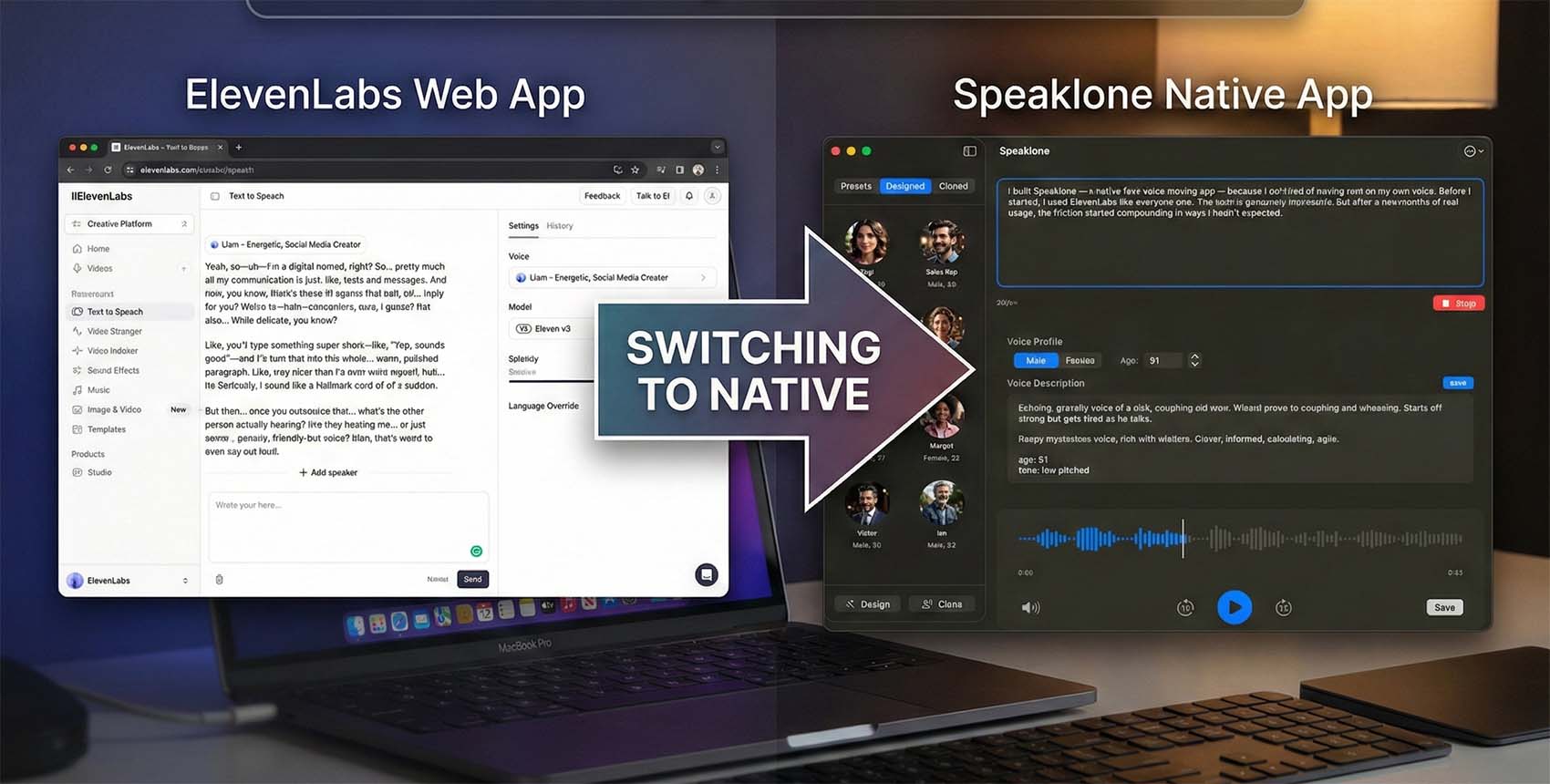
I built Speaklone — a native Mac voice cloning app — because I got tired of paying rent on my own voice. Before I started, I used ElevenLabs like everyone else. The tech is genuinely impressive. But after a few months of real usage, the friction started compounding in ways I hadn't expected.
The pricing model is character-based. Their Starter plan gives you 30,000 characters for $5/month — roughly 30 minutes of generated audio. That sounds reasonable on paper. In practice, if you're iterating on a script, experimenting with delivery, or just trying to get a line to sound right, you can burn through half your allocation in a single afternoon. Their Creator plan ($22/mo) and Pro plan ($99/mo) buy you more headroom, but the meter is always ticking. You start second-guessing every generation. Should I try one more take, or save my credits? That's not a creative tool — it's a taxi meter.
Then there's the workflow friction. You type something, hit generate, wait for the API round-trip, download the result. For a one-off generation it's fine. When you're trying to get into a flow state and iterate rapidly, the latency becomes a wall between you and the work.
Why I Built Something Local
The thing that ultimately tipped me over the edge was privacy. When you clone your voice on ElevenLabs, your voiceprint lives on their servers. They have good security practices, sure, but it's still a high-fidelity biometric copy of you sitting on someone else's infrastructure. The more I thought about it, the less comfortable I was with it — especially for clients who hand over their voice data trusting that it stays under their control.
Apple Silicon changed the calculus on what's possible locally. The Neural Engine in even an M1 chip can run billion-parameter models at speeds that would have needed dedicated GPU servers three years ago. The M-series unified memory architecture means you don't waste time copying tensors between CPU and GPU — the model just points at the same memory pool. So I asked the question that now seems obvious: why are we still routing voice data through the cloud?
Speaklone runs entirely on your Mac. Your voice sample never touches a network interface. There's no server, no account creation, no upload step. You record a clip of about 10 seconds, the Qwen3-TTS model builds your voice profile locally, and you're generating speech. On M3 and M4 hardware, first-audio latency is under 100 milliseconds. That's faster than the network round-trip to ElevenLabs' servers would be even if the generation itself were instant.
Under the Hood: Qwen3-TTS on Apple MLX
The engine behind Speaklone is Qwen3-TTS, an open-source text-to-speech model from Alibaba's Qwen team. It comes in two sizes: a 0.6 billion parameter variant and the 1.7 billion parameter version that Speaklone uses by default. The model was trained on over 5 million hours of speech data across 10 languages, and it's released under the Apache 2.0 license — meaning I can ship it inside a commercial app without licensing headaches.
What makes this work on a laptop is Apple's MLX framework. MLX was designed from the ground up for Apple Silicon's unified memory. Instead of the typical CPU-to-GPU data shuffling that PyTorch has to deal with, MLX treats the entire memory pool as a single workspace. The 1.7B model runs 4-bit quantized, which means it fits comfortably in memory on even a base-model M2 with 8GB of RAM, while the Neural Engine handles the heavy matrix multiplications.
The result is real-time speech synthesis that doesn't spin up your fans, doesn't drain your battery, and doesn't need an internet connection. I've used it on planes, in coffee shops with terrible Wi-Fi, and in hotel rooms where I didn't trust the network. It just works.
The Honest Comparison
I'm biased — I built one of these tools. So let me be as transparent as I can about where each option actually stands:
| Feature | ElevenLabs | Speaklone |
|---|---|---|
| Price | $5–$99/month | $39.99 once ($29.99 at launch) |
| Usage Limits | Metered by character count | Unlimited |
| Privacy | Cloud-processed, server-stored | 100% on-device |
| Offline Use | No | Yes — airplane mode friendly |
| Platform | Browser / API / Electron wrapper | Native Swift (Mac & iPhone) |
| Generation Speed | Network-dependent (~1–3s) | Under 100ms first-packet (M3/M4) |
| Voice Library | Thousands of pre-made voices | 9 built-in + unlimited custom clones |
| Raw Fidelity (top-end) | Slightly ahead | ~95% parity on most voice types |
| Multi-language | 29+ languages | 10 languages (EN, ZH, JA, KO + 6 more) |
ElevenLabs has a bigger pre-made voice library and, at the absolute top end, a slight edge in raw fidelity for certain voice types. Their 29+ language coverage is broader. If you're a production house doing national ad campaigns and need pixel-perfect voice matching across dozens of characters, their cloud infrastructure still offers an advantage.
But for the use cases I see most often — podcasters fixing audio mistakes, YouTubers narrating scripts, developers prototyping voice interfaces, creators who just want a natural-sounding clone of their own voice — Speaklone gets you to 95% of that quality ceiling without the recurring cost, the metered usage, or the privacy trade-off.
The Math on Subscriptions
Here's the part that convinced me a one-time purchase model was the right call. ElevenLabs' Creator plan is $22/month. Over a year, that's $264 — and you lose access to everything if you stop paying. Over two years, $528. Speaklone is $39.99 once — $29.99 during the launch window. Even at full price, the breakeven point is about seven weeks.
More importantly, you own the tool. If I get hit by a bus tomorrow, the copy on your Mac keeps working. The model weights are already on your disk. There's no server dependency to cut off. That kind of durability matters if you're building a workflow around a tool.
Who Should Stick With ElevenLabs
If you need access to hundreds of pre-made character voices for audiobook production, ElevenLabs is still the stronger choice. If you're running a large production team that needs cloud collaboration and shared voice libraries, same story. If you need languages that Qwen3-TTS doesn't support yet, or you're on Windows or Linux, Speaklone can't help you — it's Apple-only for now.
Who Should Try Speaklone
If you mostly clone your own voice or a small set of voices. If the subscription math bothers you. If you work offline regularly. If you don't love the idea of your voiceprint sitting on someone else's server rack. If you want something that feels like a real Mac app, not a browser tab pretending to be one.
Speaklone comes with 9 expressive voices across English, Chinese, Japanese, and Korean — plus unlimited custom clones from as little as 3 seconds of audio. It runs on any Mac with Apple Silicon (M1 or newer) running macOS 26+, and there's an iPhone version too.
Speaklone is launching soon — currently in review with Apple. Check out the site for launch updates, and see if the tradeoffs work for you.